
01
Record
Log the load against governed project and waste classifications.
From collection to disposal, ReNova IWMS turns field activity into an auditable record—complete with geotagged evidence, generated documents and client-ready reporting.
3
operational streams
4
role profiles
EN / AR
full interface
1
evidence chain
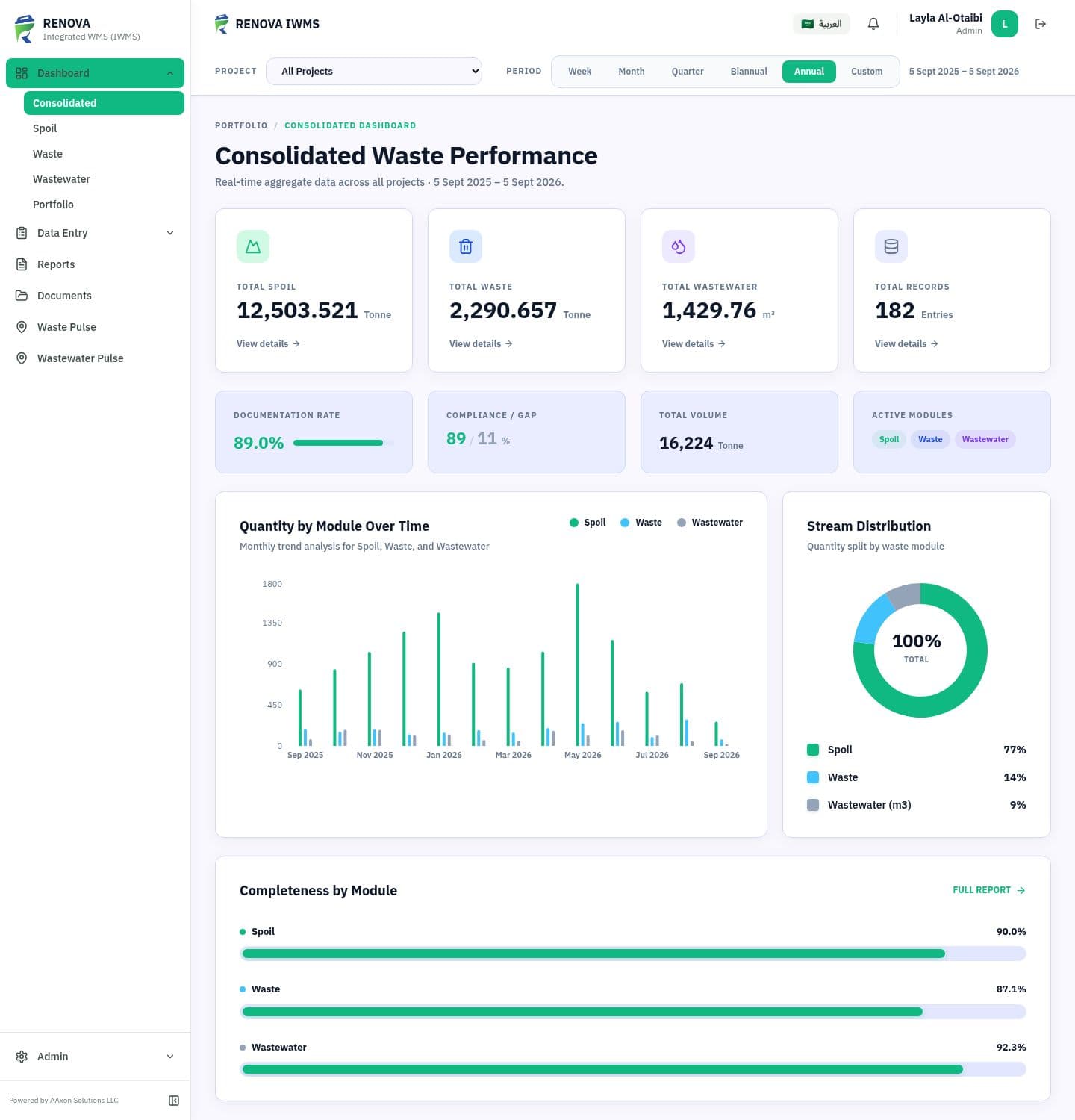
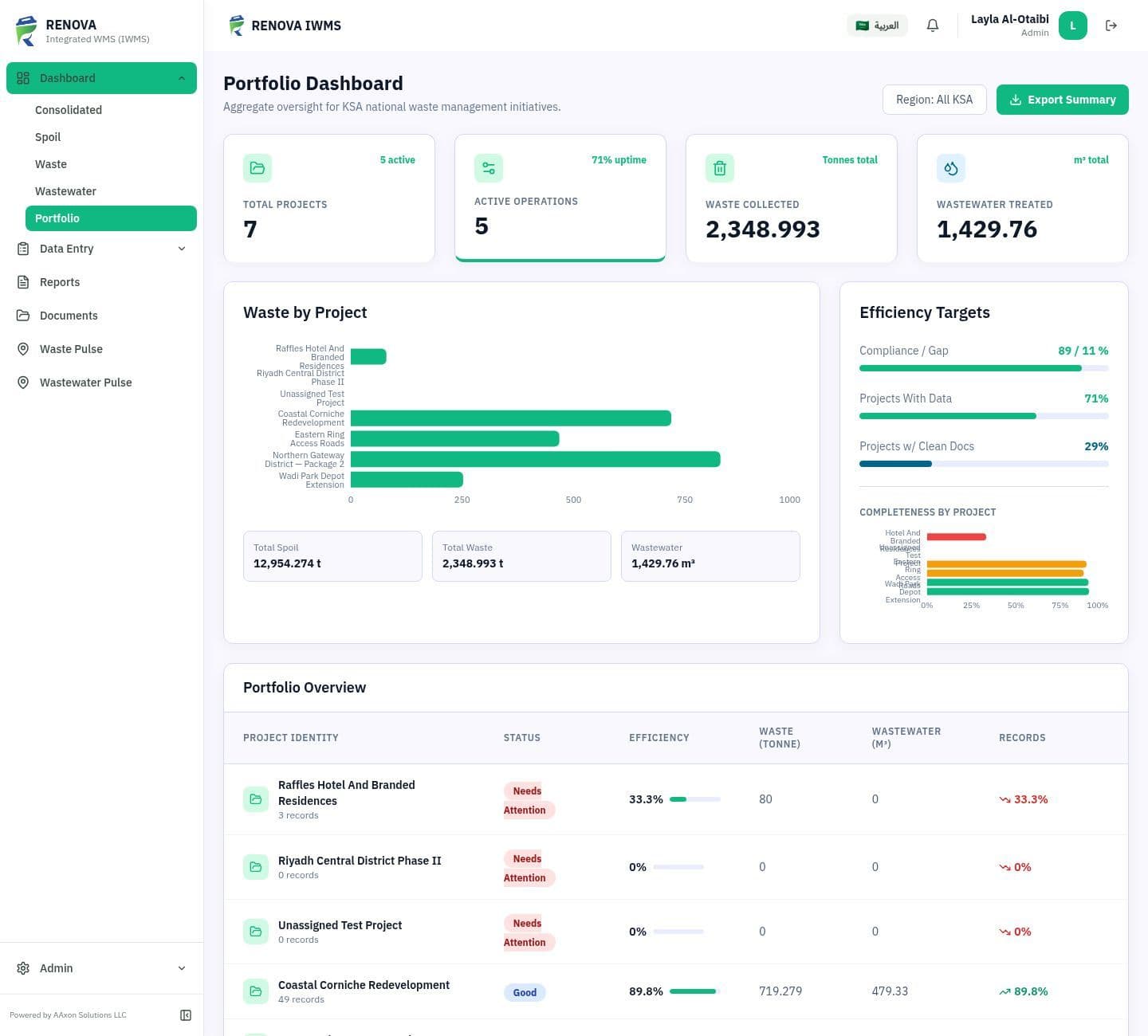
Portfolio command view
Completeness first. Tonnage second.
One live portfolio view across waste, spoil, wastewater and documentation status
One chain of evidence
The value is in the continuity. Every handoff adds evidence to the same record, so operational teams do not have to reconstruct the month from messages, folders and spreadsheets.
Log the load against governed project and waste classifications.
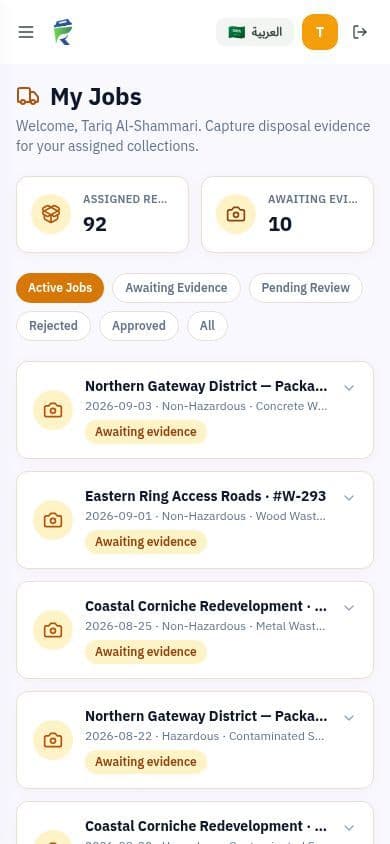
Send the collection to the right hauler with only the context they need.
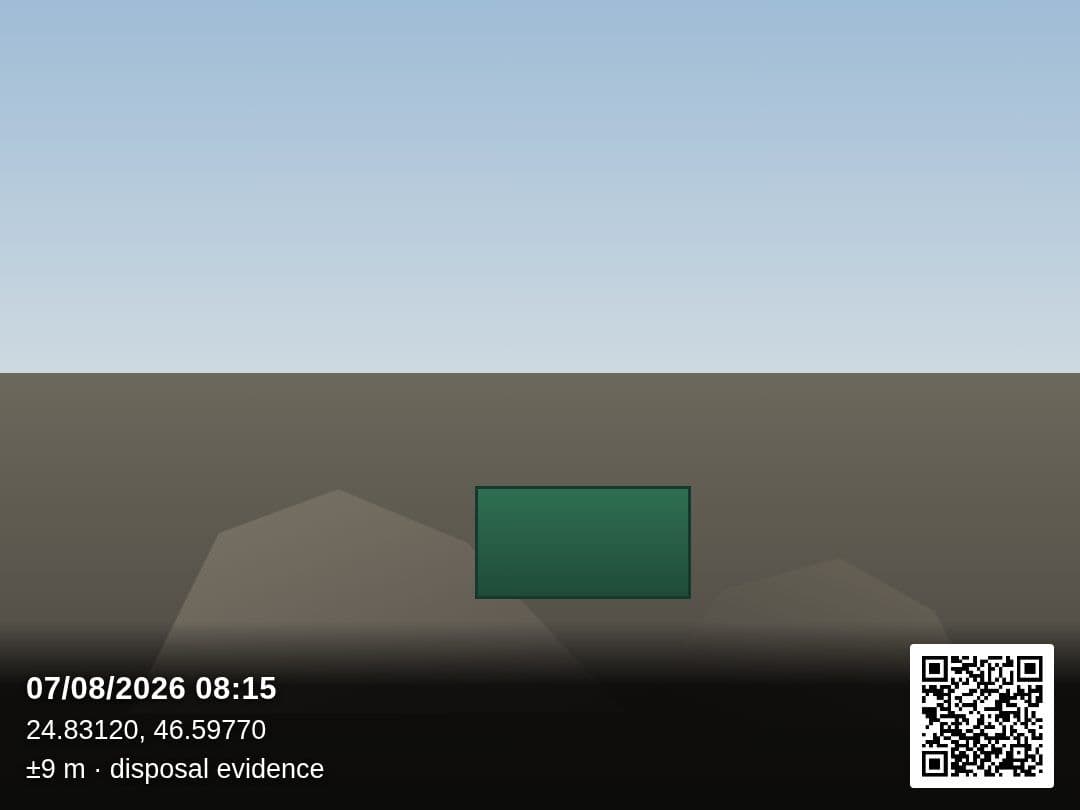
Capture disposal evidence with time, coordinates, accuracy and map QR burned in.
Review the evidence. Rejected proof keeps the record visibly incomplete.
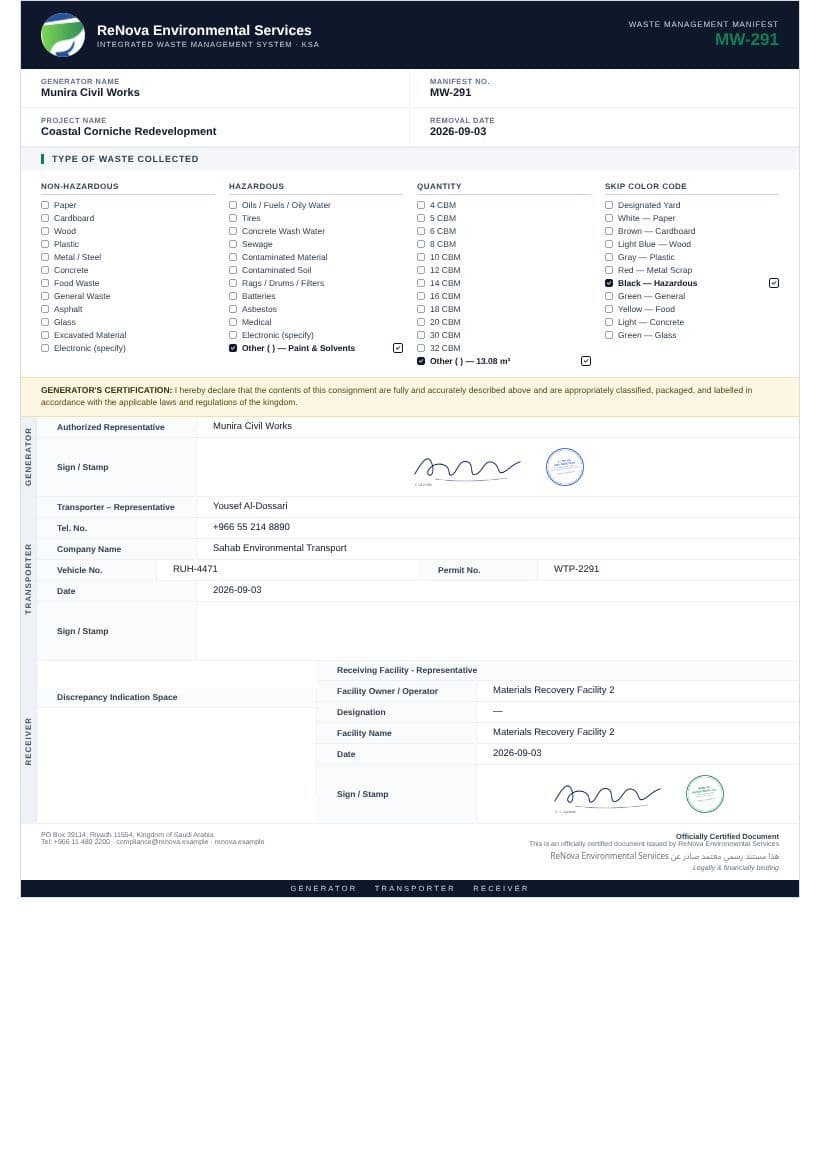
Generate the manifest and service delivery note from the approved record.
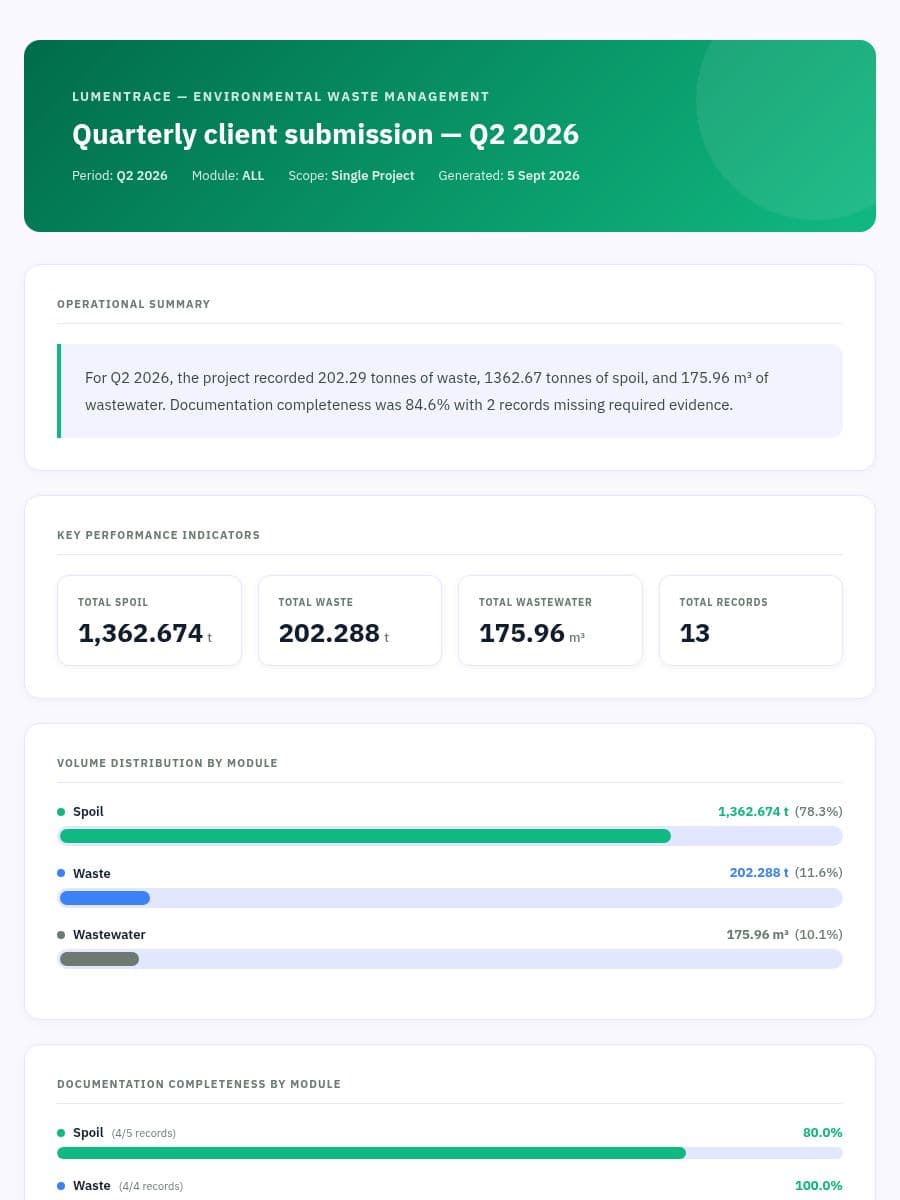
Roll every entry and document into a client-ready monthly report.
Hazardous and non-hazardous waste, with governed types and conversion factors.
Excavated and demolition arisings tracked by source and material type.
Sewage, grey water and industrial effluent with automatic unit conversion.
Structured at the source
Categories and waste types come from governed master lists. The collection date determines the reporting period, while driver company, telephone and permit details populate from approved records.
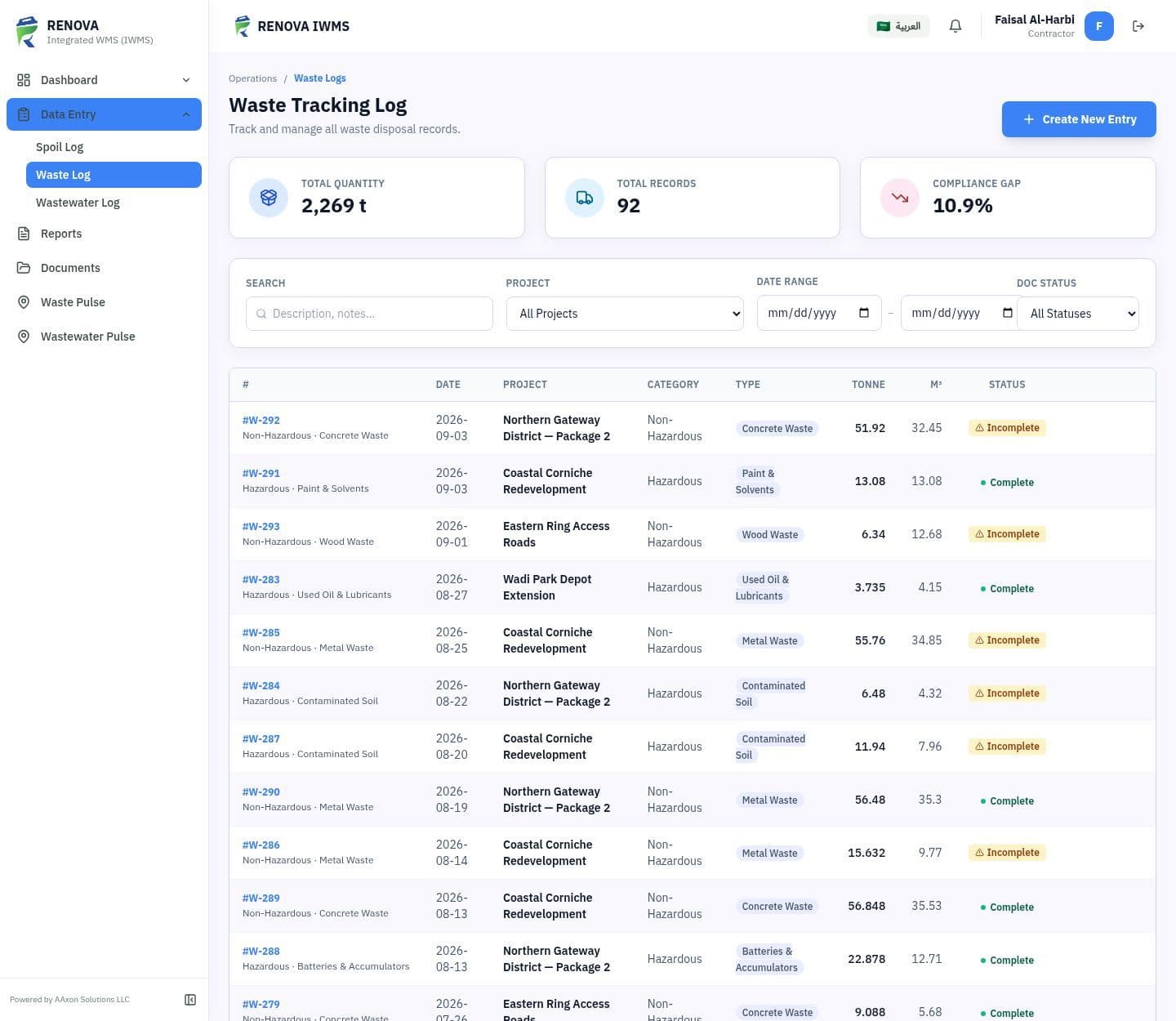
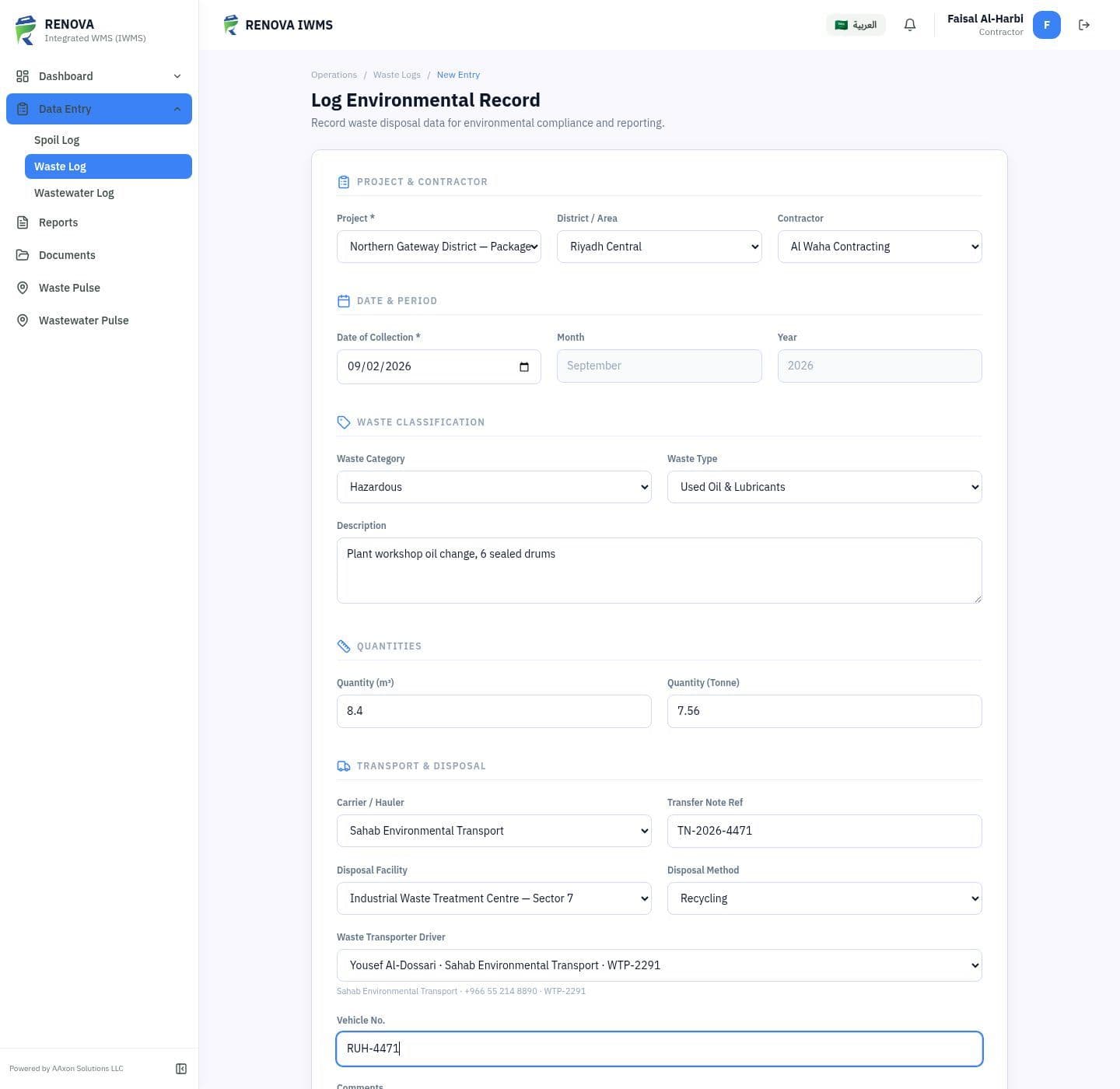
Field capture
Haulers see only their assigned collections. At disposal, the app writes the date, coordinates, GPS accuracy and a scannable map link into the image itself.
Compliance close-out
Saving a record generates its manifest and service delivery note using the project’s company details, logo, stamp and authorised signature. Uploaded tickets and approved evidence complete the file around them.
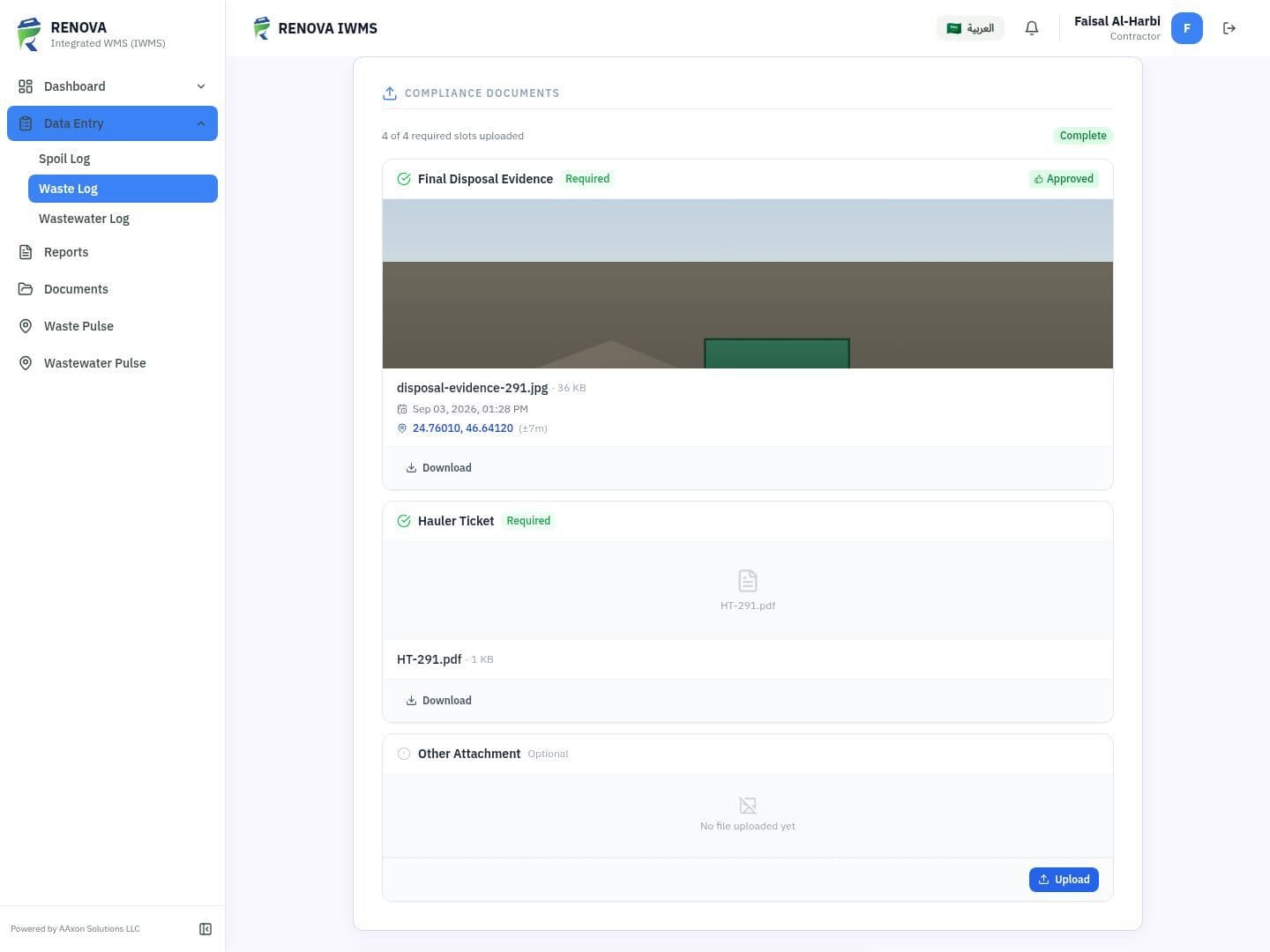
The completion state is calculated from the required slots—not manually declared—and becomes the compliance signal throughout the platform.
Waste
Manifest · service note · disposal evidence · hauler ticket
Spoil
Manifest · service note · disposal evidence
Wastewater
Service note · disposal evidence
Portfolio intelligence
Dashboards lead with documentation completeness, then reconcile operational quantities across units, projects, streams and disposal methods.
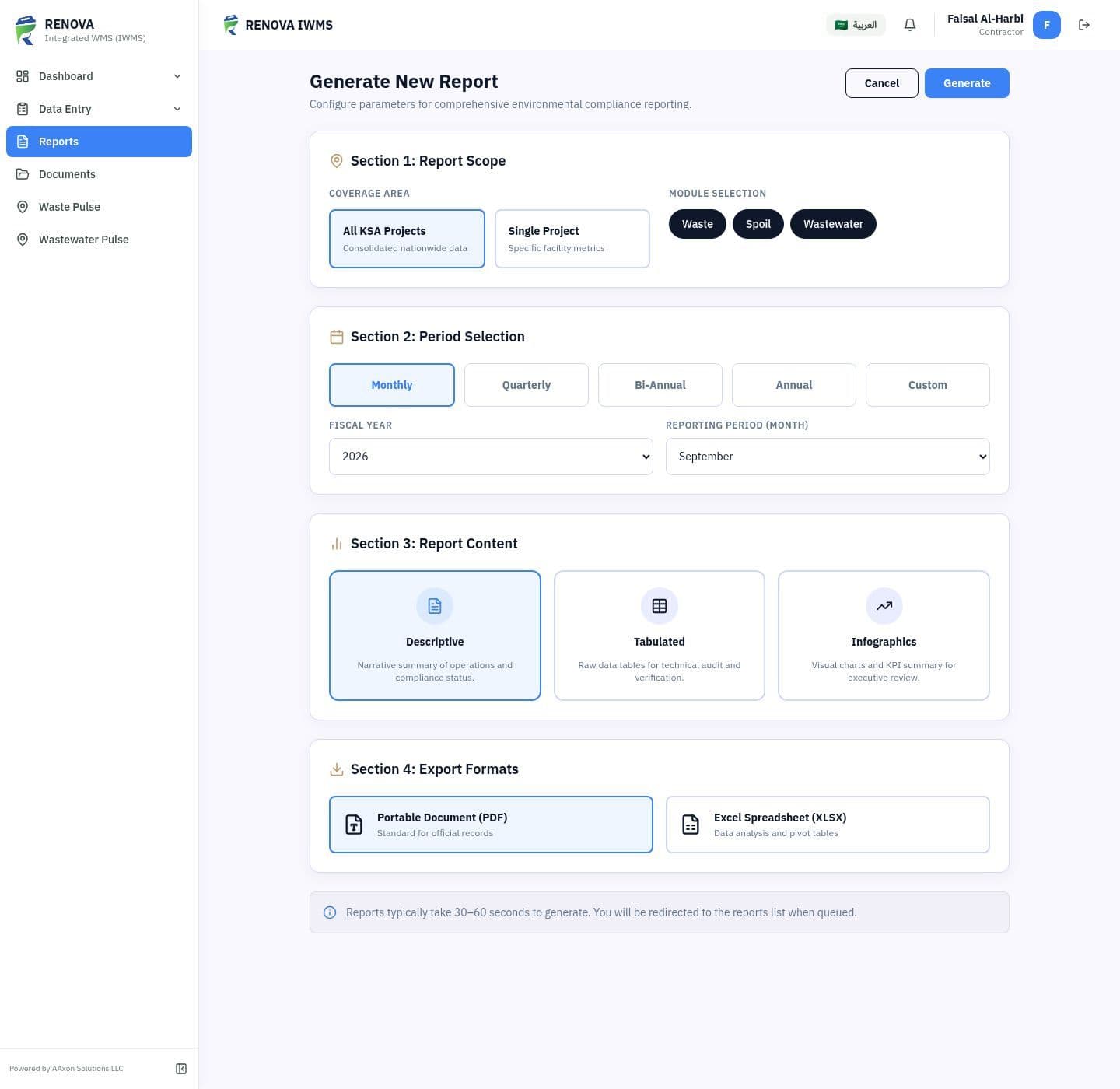
Select the period, project and sections. ReNova IWMS assembles the narrative, KPIs, completeness by module, trend and detailed entries for PDF, Excel or HTML output.
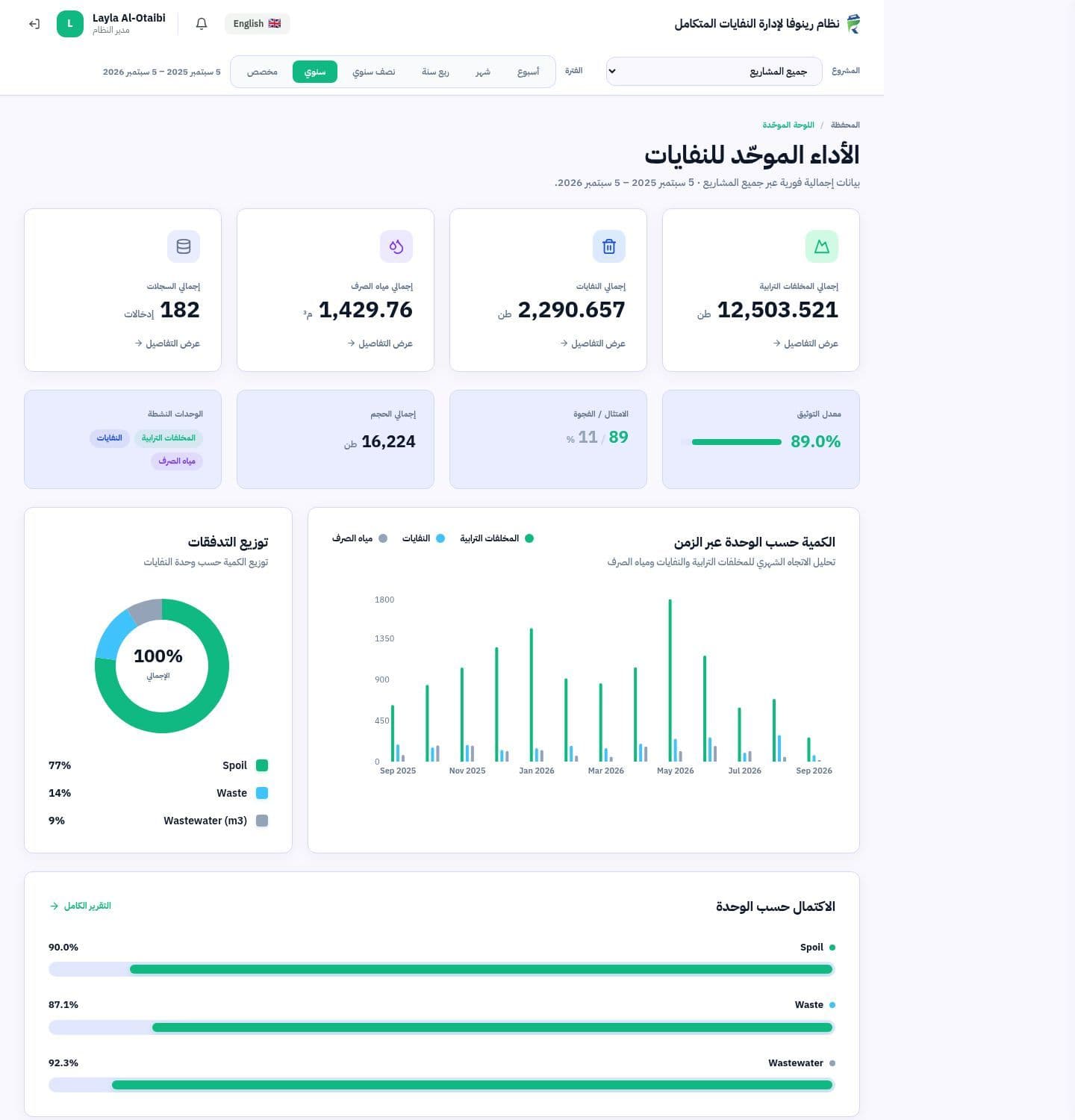
Built for Saudi operations
The interface mirrors fully for Arabic—from navigation and tables to charts and dates. Permissions are scoped by role and project, keeping each user focused on the work they own.
English + Arabic
Role-scoped views
Project permissions
Field-ready UI
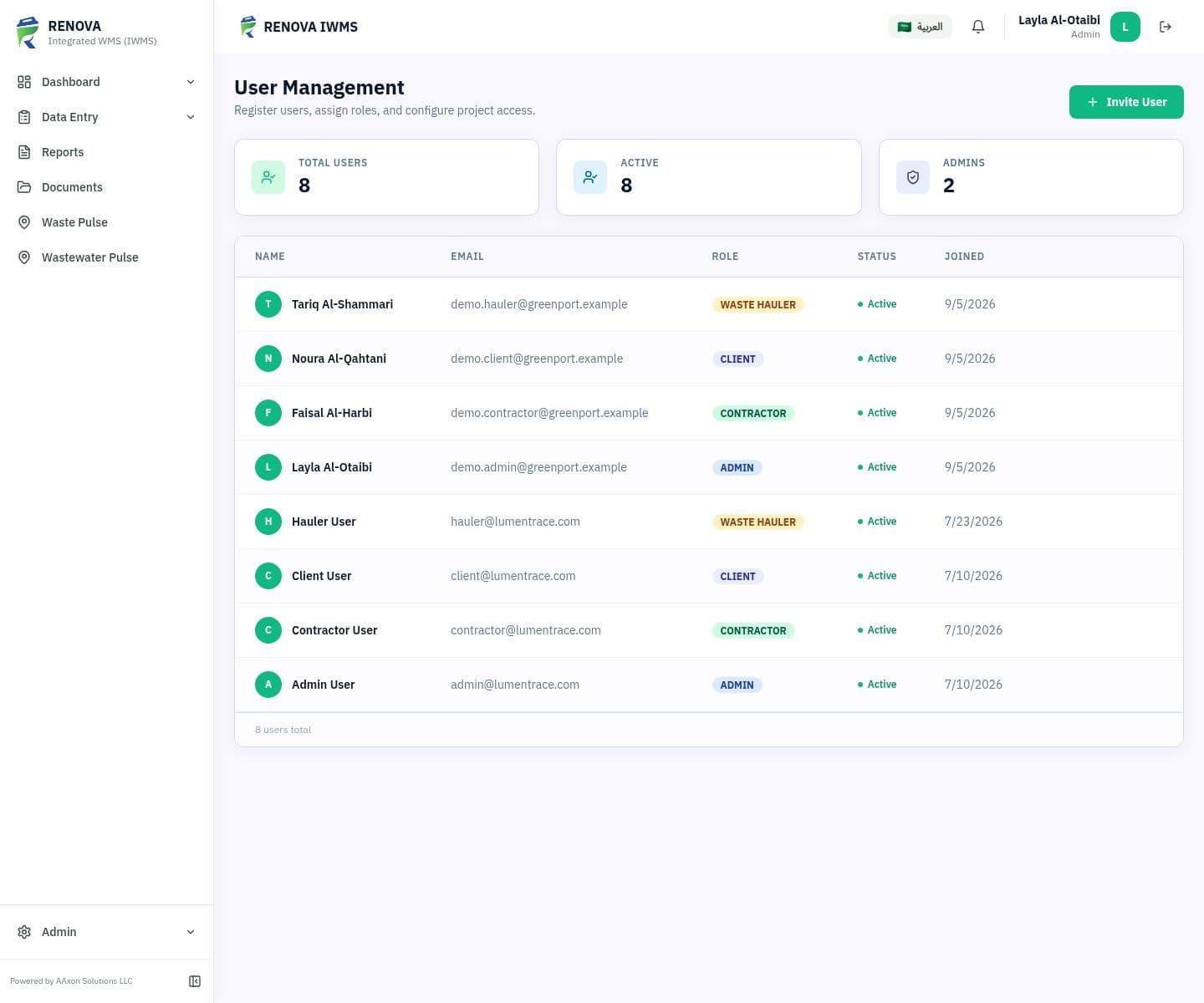
The right view for every role
Administrators govern classifications and access. Contractors validate evidence. Clients see their own portfolio. Haulers receive only assigned collection work.
See it with your operation
In a focused walkthrough, we will follow a collection from entry and field evidence through close-out and the report your client receives.
Product screens use a demonstration dataset with fictional projects, personnel, quantities and coordinates. Screens are shown from the working interface without retouching.